Frequently Asked Questions
How can we help you?
CATEGORIES
- A free account
- Account assistants
- Account Information
- Affiliate Program
- Appearance
- AppSumo
- Audio & Video
- Branding / Custom / Whitelabel
- Branding Tool
- Break-out Rooms
- Call to Action
- Camera & Microphone
- Capacity & Limits
- Certificates
- Closed captioning
- Decisions - Professional Voting
- Event tokens
- Evergreen webinars
- Forms
- How to join meeting on mobiles
- Hubspot Integration
- Integrations
- Language interpretation
- Live Transcription
- Meetings & Webinars
- Other
- Pabbly Connect
- Paid Webinars
- Presence Manager
- Recording
- Registration
- Requirements
- Room Chat
- Screen Sharing
- Session Management
- Statistics & Reports
- Storage
- Streaming
- Sub-Accounts
- Tests & Surveys
- Virtual Backgrounds
- Vote Manager
- Waiting rooms
- Webinar and Meeting Room Features
- Website Presenter
- Whiteboard
- Wordpress plugin
FAQ -> Integrations -> How to integrate LiveWebinar with Ecomail?
How to integrate LiveWebinar with Ecomail?
Integrating with Ecomail allows you to automatically sync registrant data from your webinars directly to your email marketing contact lists.
Step-by-step instructions:
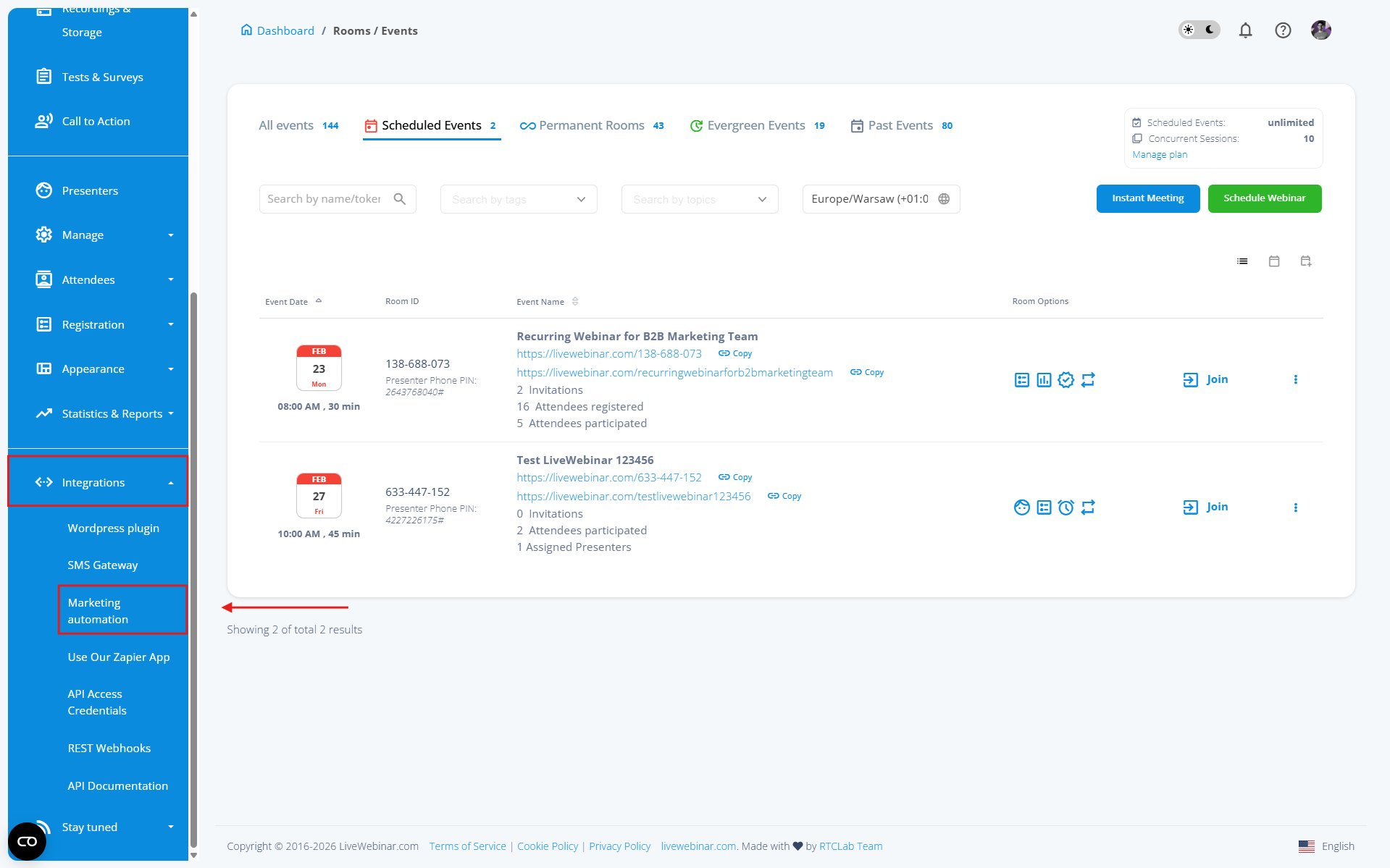
1. Select the provider: Navigate to the Integrations > Marketing Automation tab and find the Ecomail logo.
 2. Authenticate: Paste your API key. You can find this key in your Ecomail account settings under the "For Developers" tab.

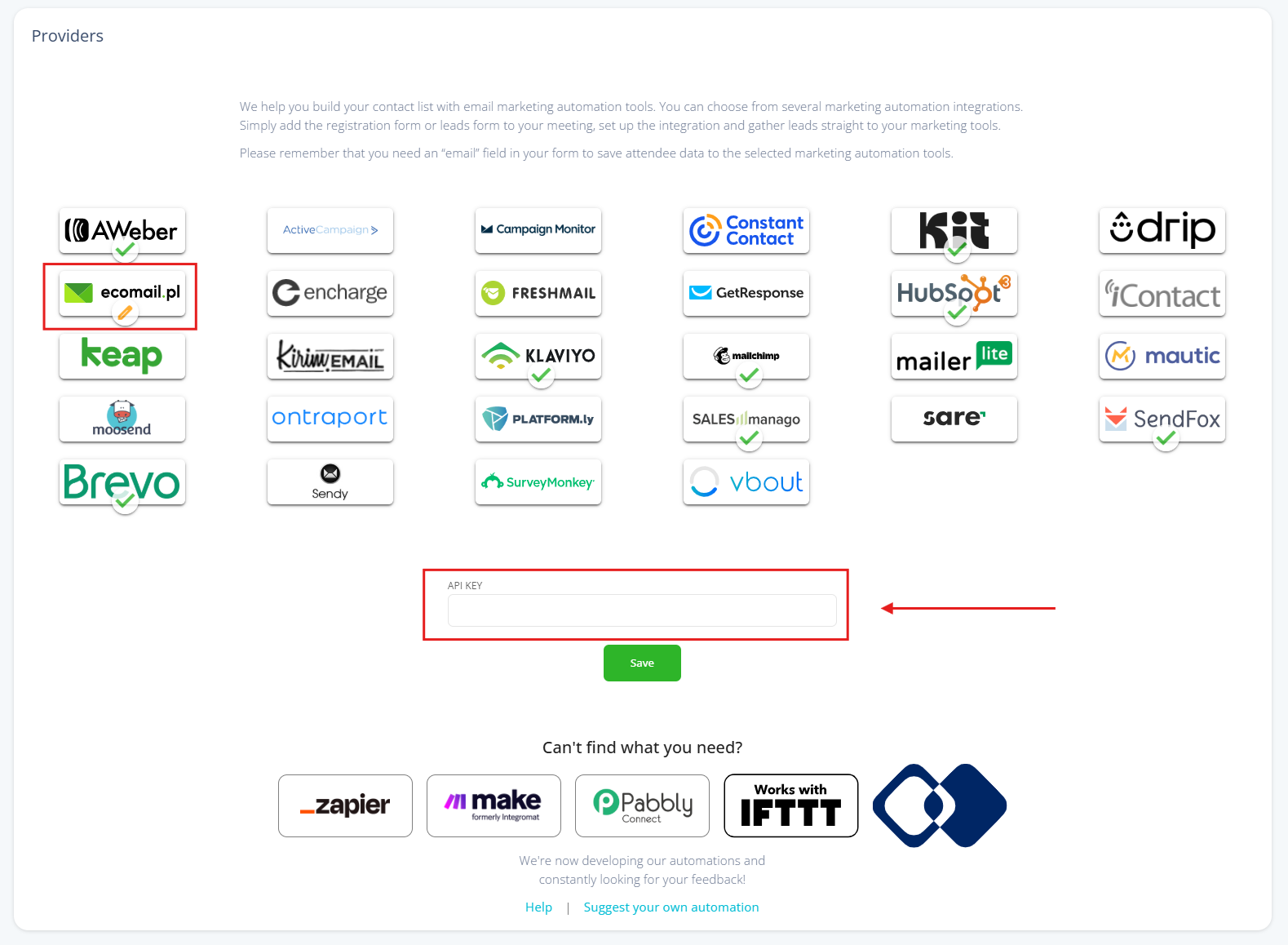 3. Confirm: Save the settings and proceed to create or edit your webinar.4. Configure the form: While setting up the registration form, go to the Integrations tab. Select Ecomail from the provider list, choose your target contact list, and map the form fields correctly.
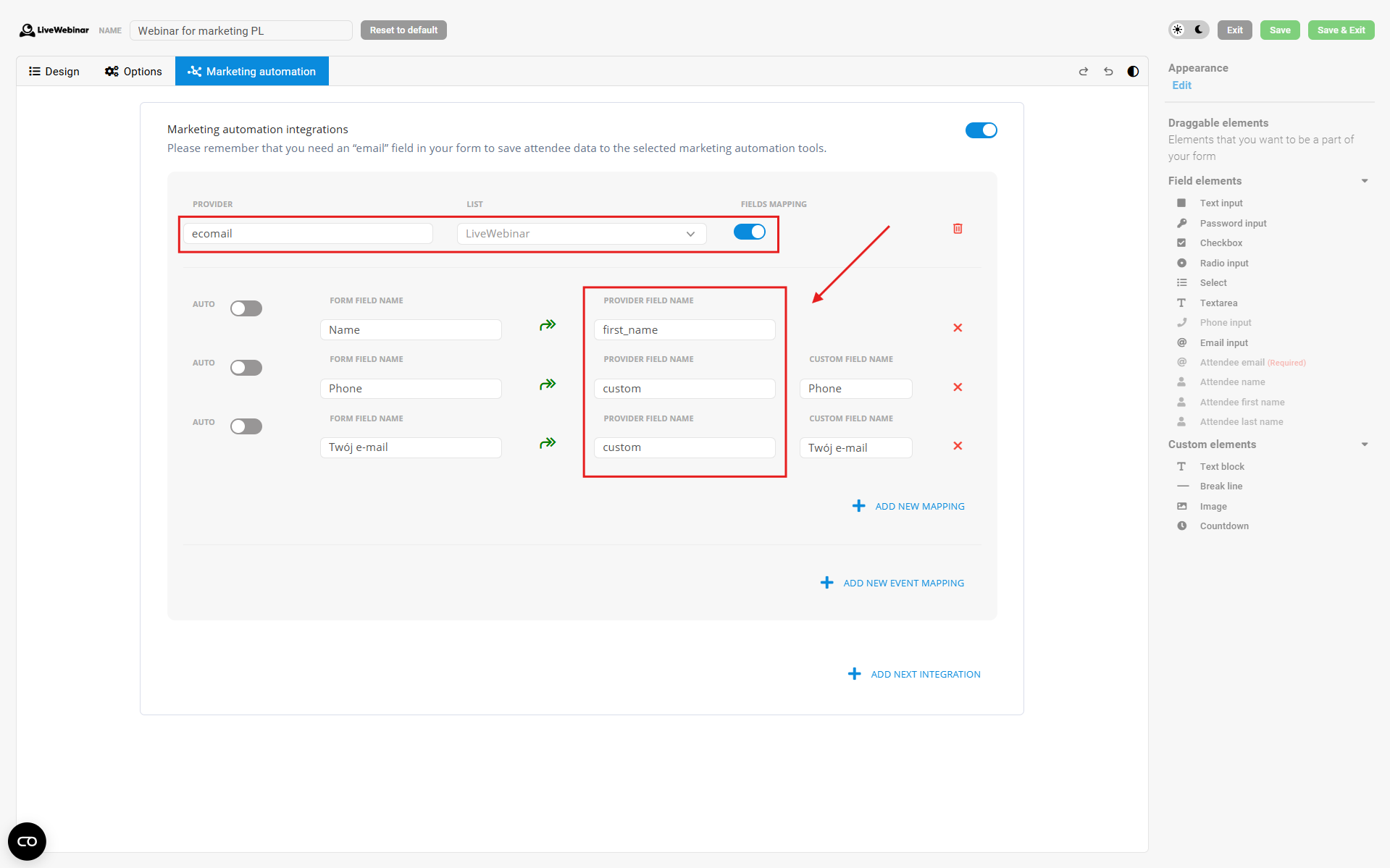 5. Finish: Save your changes. All future registrant data will be automatically forwarded to your Ecomail account.