Frequently Asked Questions
How can we help you?
CATEGORIES
- A free account
- Account assistants
- Account Information
- Affiliate Program
- Appearance
- AppSumo
- Audio & Video
- Branding / Custom / Whitelabel
- Branding Tool
- Break-out Rooms
- Call to Action
- Camera & Microphone
- Capacity & Limits
- Certificates
- Closed captioning
- Decisions - Professional Voting
- Event tokens
- Evergreen webinars
- Forms
- How to join meeting on mobiles
- Hubspot Integration
- Integrations
- Language interpretation
- Live Transcription
- Meetings & Webinars
- Other
- Pabbly Connect
- Paid Webinars
- Presence Manager
- Recording
- Registration
- Requirements
- Room Chat
- Screen Sharing
- Session Management
- Statistics & Reports
- Storage
- Streaming
- Sub-Accounts
- Tests & Surveys
- Virtual Backgrounds
- Vote Manager
- Waiting rooms
- Webinar and Meeting Room Features
- Website Presenter
- Whiteboard
- Wordpress plugin
FAQ -> Recording -> Where can I find my recordings?
Where can I find my recordings?
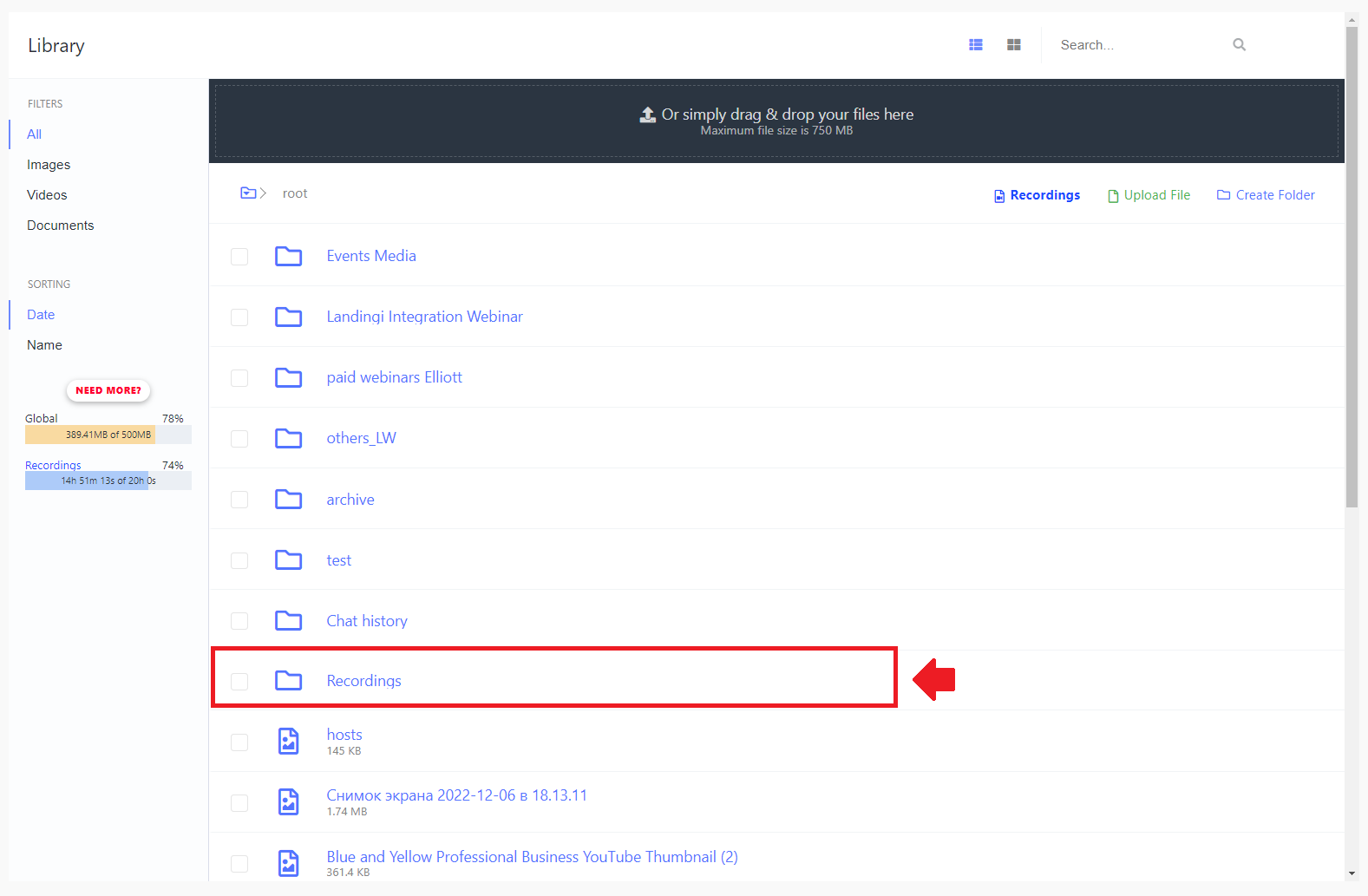
The space for recordings is a separate part of the storage area. To access your recordings, click “Recordings & Storage” in the main menu, and from there click on “Recordings”. Storage spaces for recordings (measured in hours) and storage space for other files (measured in megabytes) are independent of each other. The amount of recording storage you have depends on the package you’re working with.
You can access your recordings in two basic ways.
First, you can do it by entering the main Dashboard. Here you will find a short list of the most important data related to your webinars, including "Storage".
.jpg)
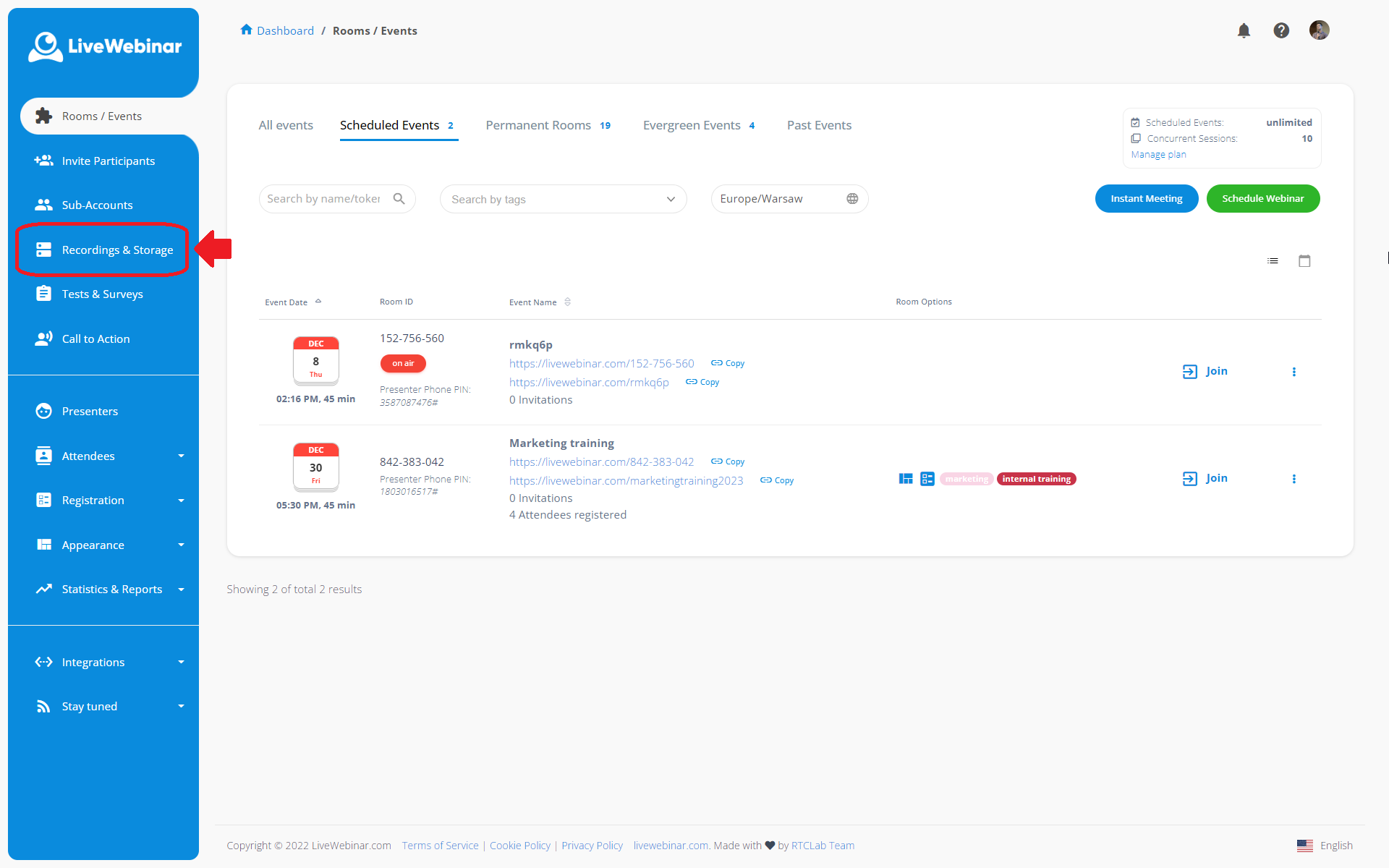
The second way is to gp to the side panel and choose tab "Storage".